
5 Most Common FB Errors And How To DEAL With Them?!
Unmasking FB Errors: Top 5 Issues When Creating Ads on Facebook
With more than 2.8 billion monthly active users, Facebook is an indispensable platform for many advertisers. However, as with any complex system, it’s not without its challenges. One of the most common hurdles marketers face is dealing with errors during the ad creation and publishing process.
Here, we’re addressing the five most common FB errors users encounter when creating and publishing ads on Facebook:
1. FB Errors – Invalid Targeting Spec (#1487079)
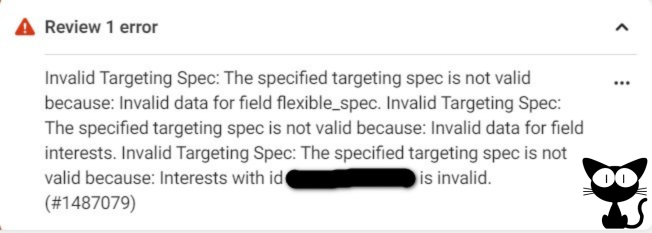
Perhaps one of the most common hiccups, this error typically arises due to issues in your ad’s targeting specifications. The error message would mention something like: ‘Invalid data for field flexible_spec’. At its core, this FB error implies that there’s a problem with the specific interests you’ve chosen to target.
Solution: As daunting as this message might appear, the remedy is pretty straightforward. Simply delete the entered text or image in your targeting spec and add it again. This should clear any glitches or conflicts causing the error.
2. FB Errors – Discontinued Interest (#2446900)

Over time, Facebook updates its list of interests available for targeting, removing some and adding others. If you’ve built a campaign around a now-discontinued interest, you’ll encounter this error. The message will usually hint towards ‘interests that have been discontinued’.
Solution: Watch out for interests marked with a red triangle. If none is visible, scout for the interest labeled as “Not Available”. Simply replace or remove these interests to proceed with your ad campaign.
3. Page Not Allowed to Advertise (#1667102)
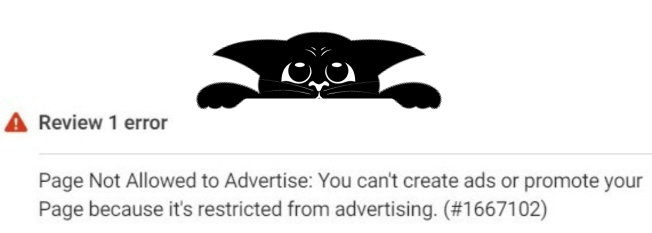
This error is quite self-explanatory. If you’re attempting to promote content from a page restricted from advertising, you’ll be met with this obstruction. The restriction might be due to various reasons, including previous policy violations or other account issues.
Solution: While waiting for the restricted page to be cleared (which might involve contacting Facebook Support), a temporary fix would be to place your ads using another “healthy” page. This ensures that your advertising doesn’t come to a complete standstill.
4. Ad Creative Is Incomplete (#2446289)
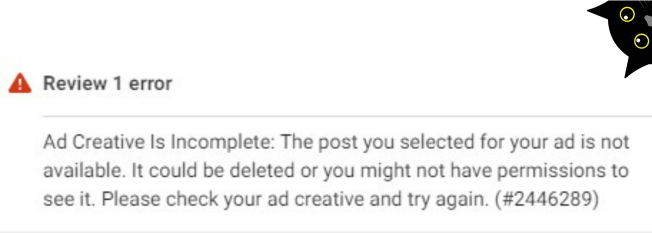
This error highlights a permissions issue: the ad’s publisher doesn’t have admin rights to the designated Facebook page. It’s crucial to ensure that those responsible for ad publishing have the necessary permissions, especially when managing multiple pages or teams.
Solution: Ensure you’re an admin of the specified page. If not, ask an existing admin to add you or to publish the ad on your behalf. This step is vital for a seamless ad posting process, to avoid potential disruptions, and to ensure consistency in your advertising efforts.
5. Ad Creative Is Incomplete (#2446289)
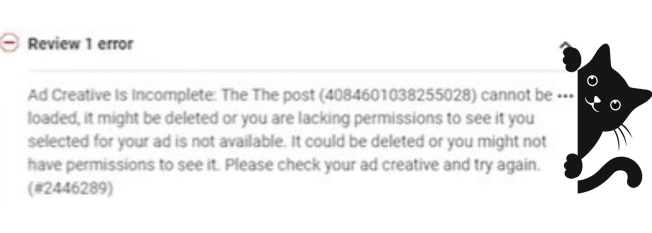
This error often surfaces during heightened activity in the Ads Manager, whether you’re deploying multiple campaigns or just navigating through business profiles and pages. It’s an alert, suggesting possible spam-like behavior detected by Facebook. It’s not just about the volume; sometimes, the nature of the activity might trigger this alert.
Solution: The immediate action to take is addressing the spam notification on your Facebook profile, clearly indicating that you disagree with the spam tag. While it’s wise to pause ad-related tasks for a week or two, businesses can’t always afford such delays. In such cases, consider changing your ad strategy temporarily, like alternating between image and video ads, to circumvent the issue.